PricingRefer & earnBlogFAQDemoLog in
Log in

Class money. For the treasurer and the parents.

The money moves account to account. We just show who has paid and how much is still owed.
Start a class for free
100 daysNo card needed
See the demo
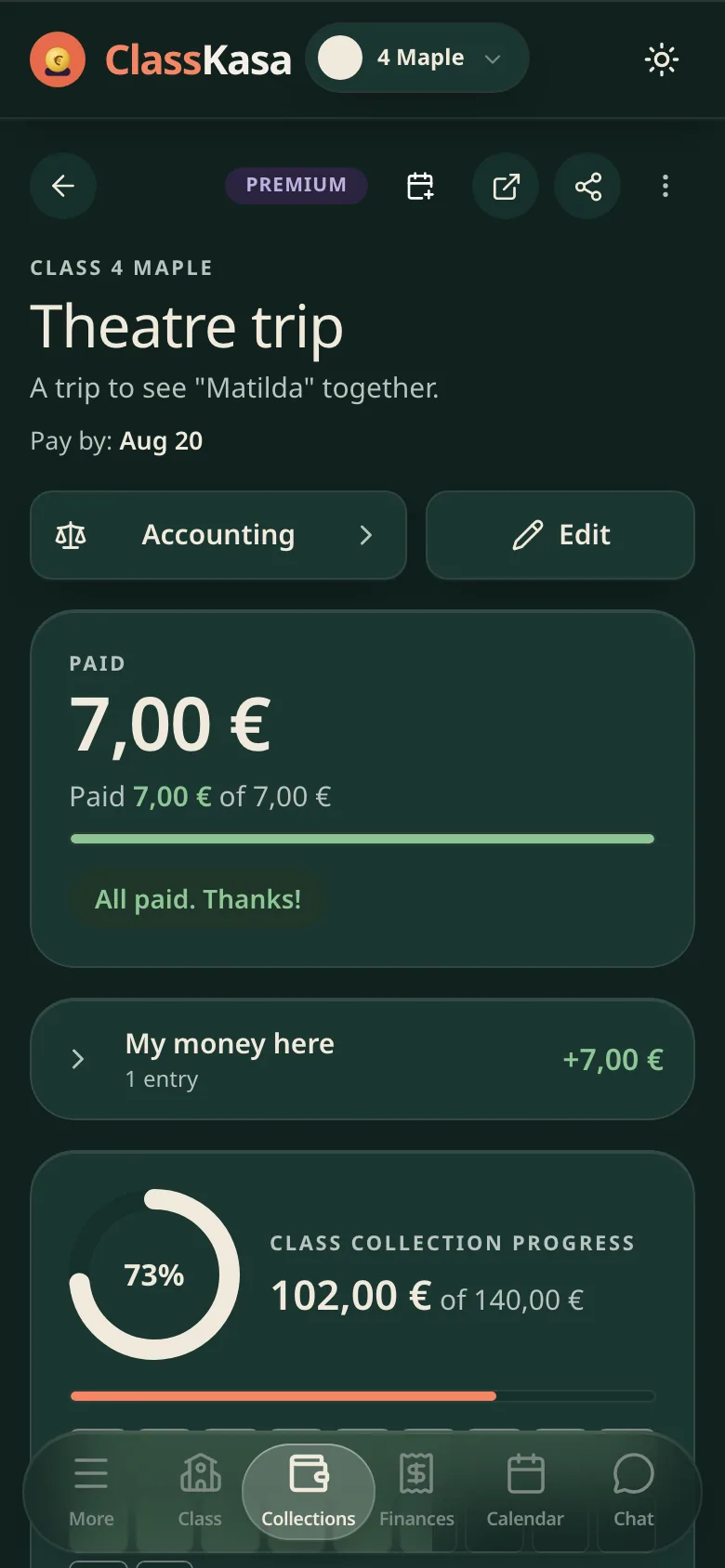
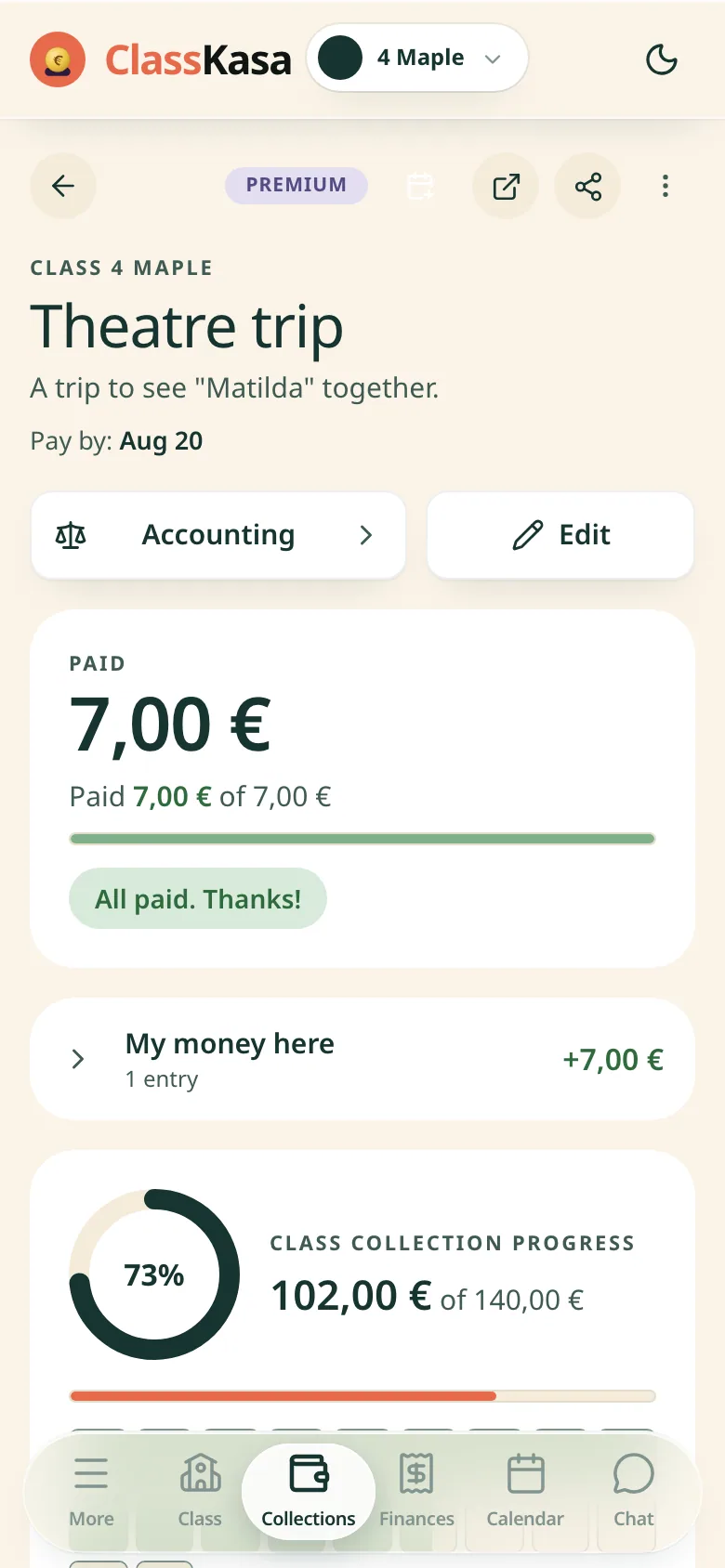
A class trip collection in ClassKasa: the due date, how much this family has paid, the class progressA class trip collection in ClassKasa: the due date, how much this family has paid, the class progress
Collection screen: the name and the pay-by date, a card with what this family has paid, the class progress ring, and the bottom tabsCollection screen: the name and the pay-by date, a card with what this family has paid, the class progress ring, and the bottom tabs

ClassKasa - class collections, dues and settlements in one place.

ClassKasa is a browser app for class treasurers and parents: the treasurer shares one link, and every parent sees what they owe and what has come in. Free covers up to 5 collections per class. Premium, 54 € a year per class, reads the class bank account through Enable Banking (read-only). Try Premium free for 100 days, no card.

For the treasurer

PREMIUMNo spreadsheet does this

Payments file themselves. Without a single click.

In Premium you connect the class account once through Enable Banking (read-only); ClassKasa checks it several times a day and books each transfer to its family and collection.

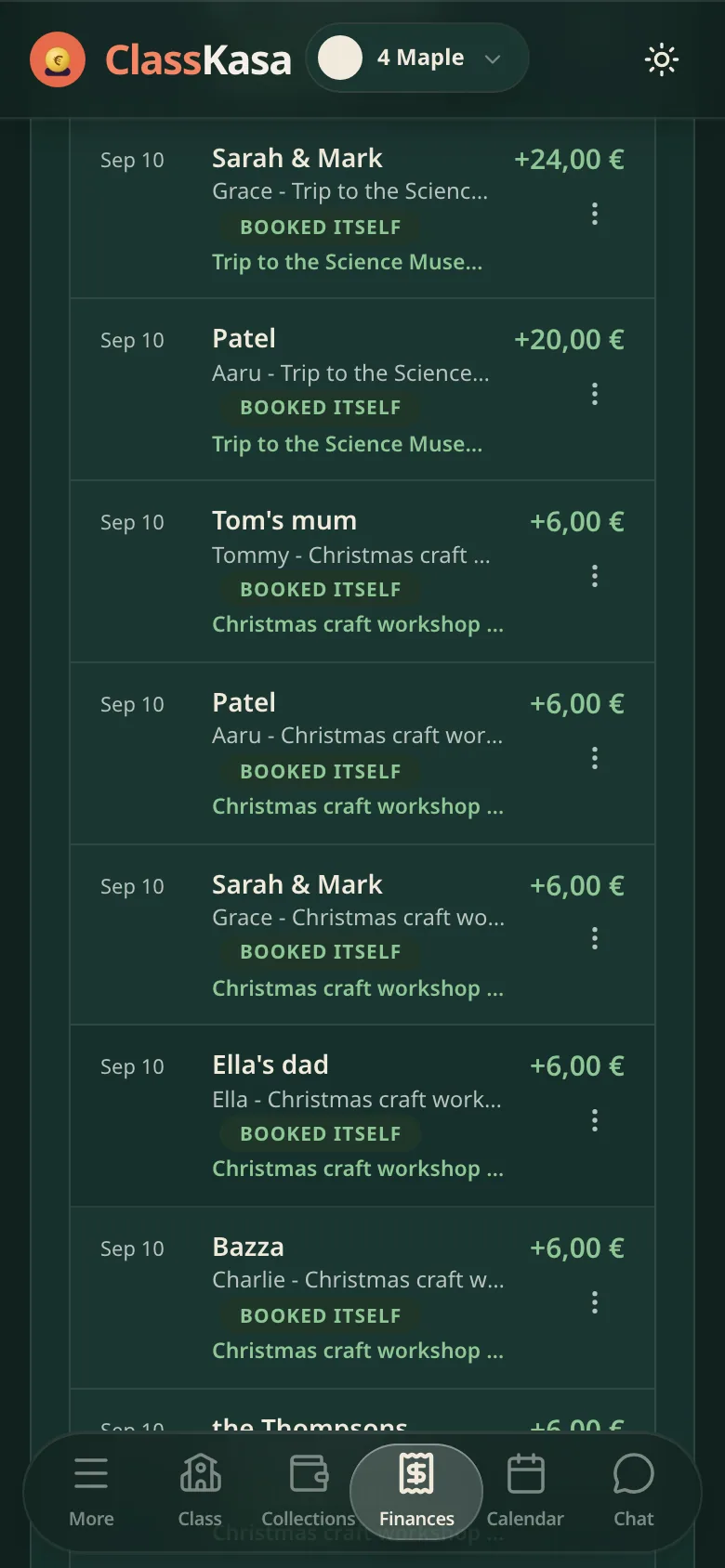
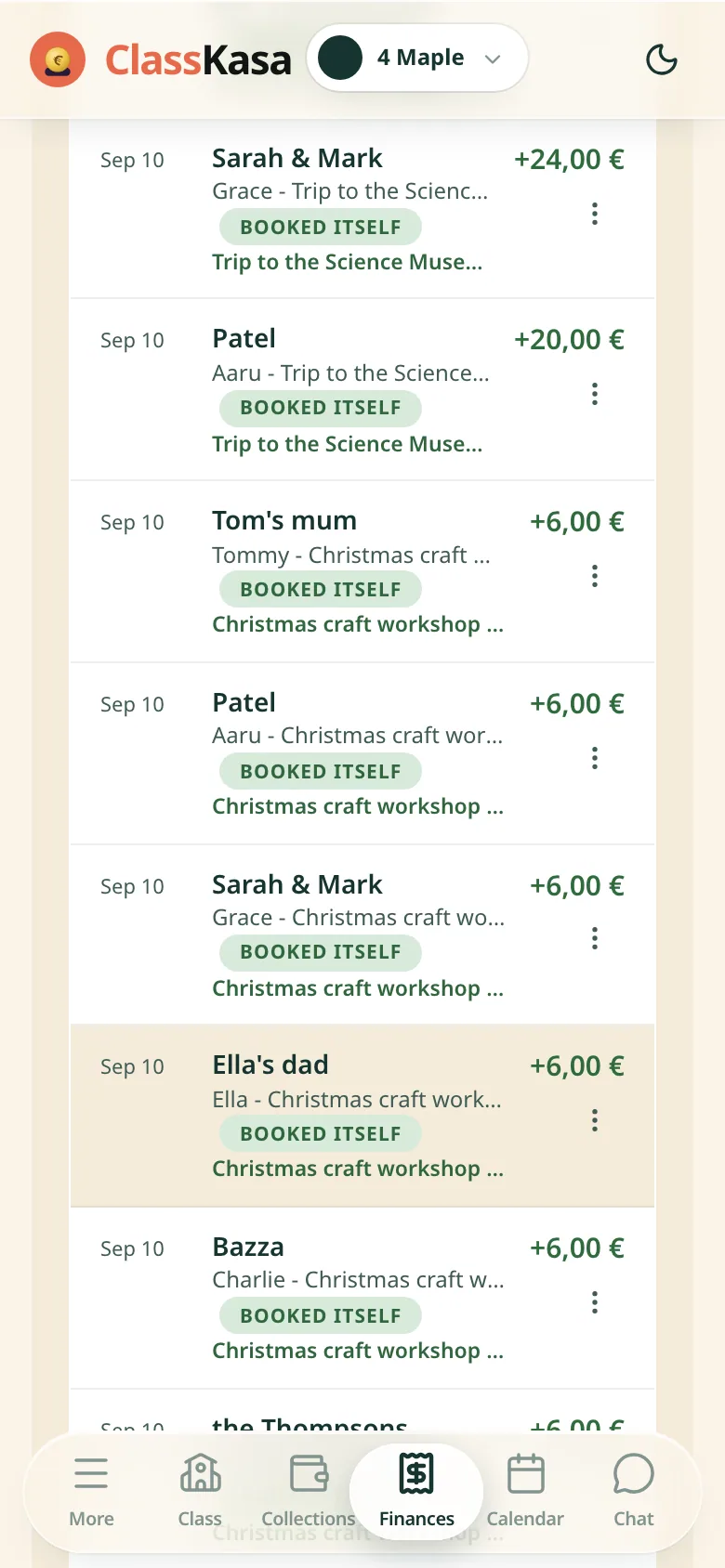
Eighteen transfers from the bank, eighteen booked - all of them by themselves, not a finger lifted. Next to each one you see whose payment it is and where it went. You link the class account to the bank securely, across the whole EU.

Read-only bank access (PSD2) through , a licensed provider. ClassKasa never holds or moves the class money.

For the treasurer

How much does the class really have?

You see everything the class has: the fund, collection balances and family wallets, down to the last cent.

Broken down into the class fund, collection balances and family wallets. Matched to the bank account down to the penny.
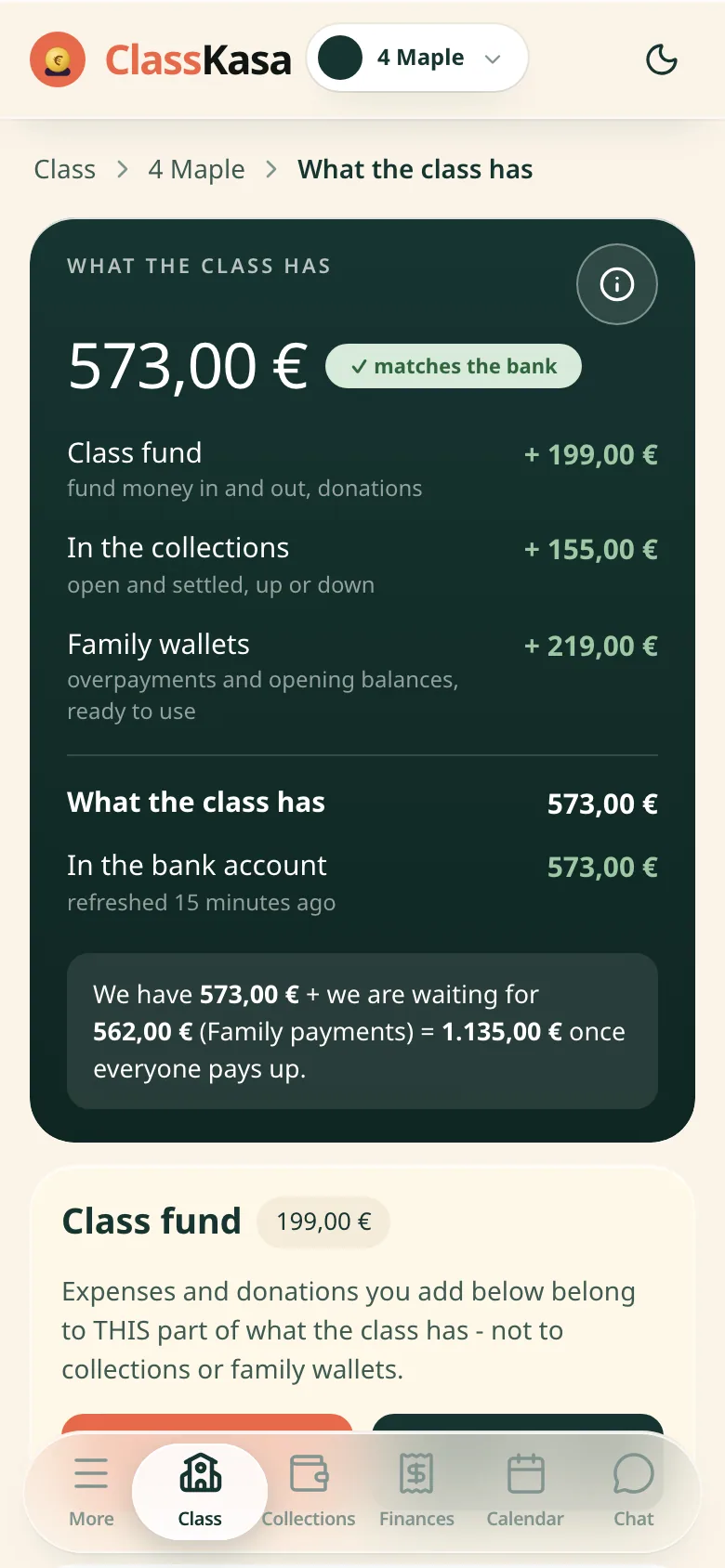
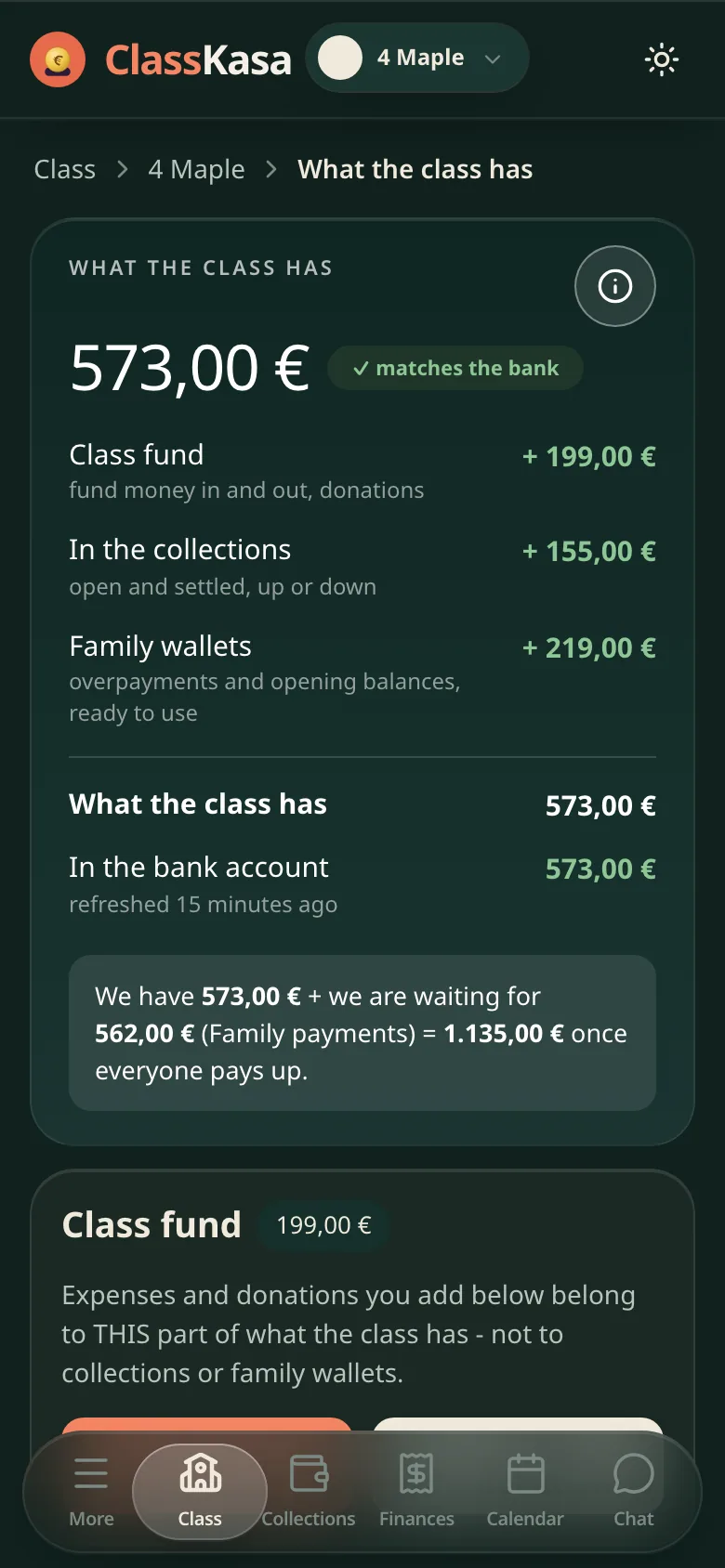
The class money in ClassKasa: the class wealth split into the fund, collection balances and family wallets, matched to the bankThe class money in ClassKasa: the class wealth split into the fund, collection balances and family wallets, matched to the bank
Class home screen: the class card with the treasurer badge and what the class has, tiles for collections and families, and below it the bank details cardClass home screen: the class card with the treasurer badge and what the class has, tiles for collections and families, and below it the bank details card
For the parent

Did I pay, or did he?

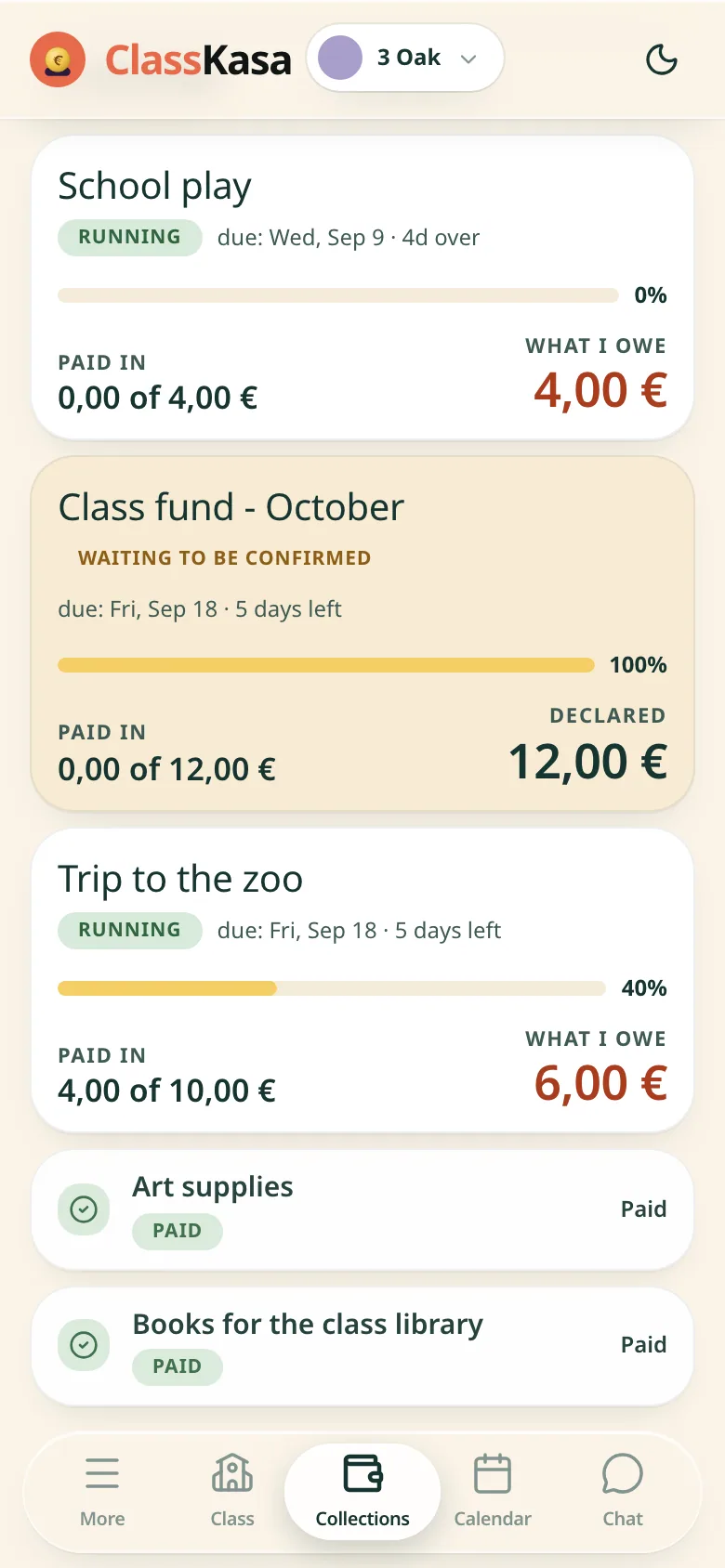
A parent sees on one screen what is paid, what is due and what is in the wallet. With Premium, a second grown-up in the family sees the same.

One screen: what is paid, what is waiting, and how much is in your wallet for the next collection.
What parents see and do

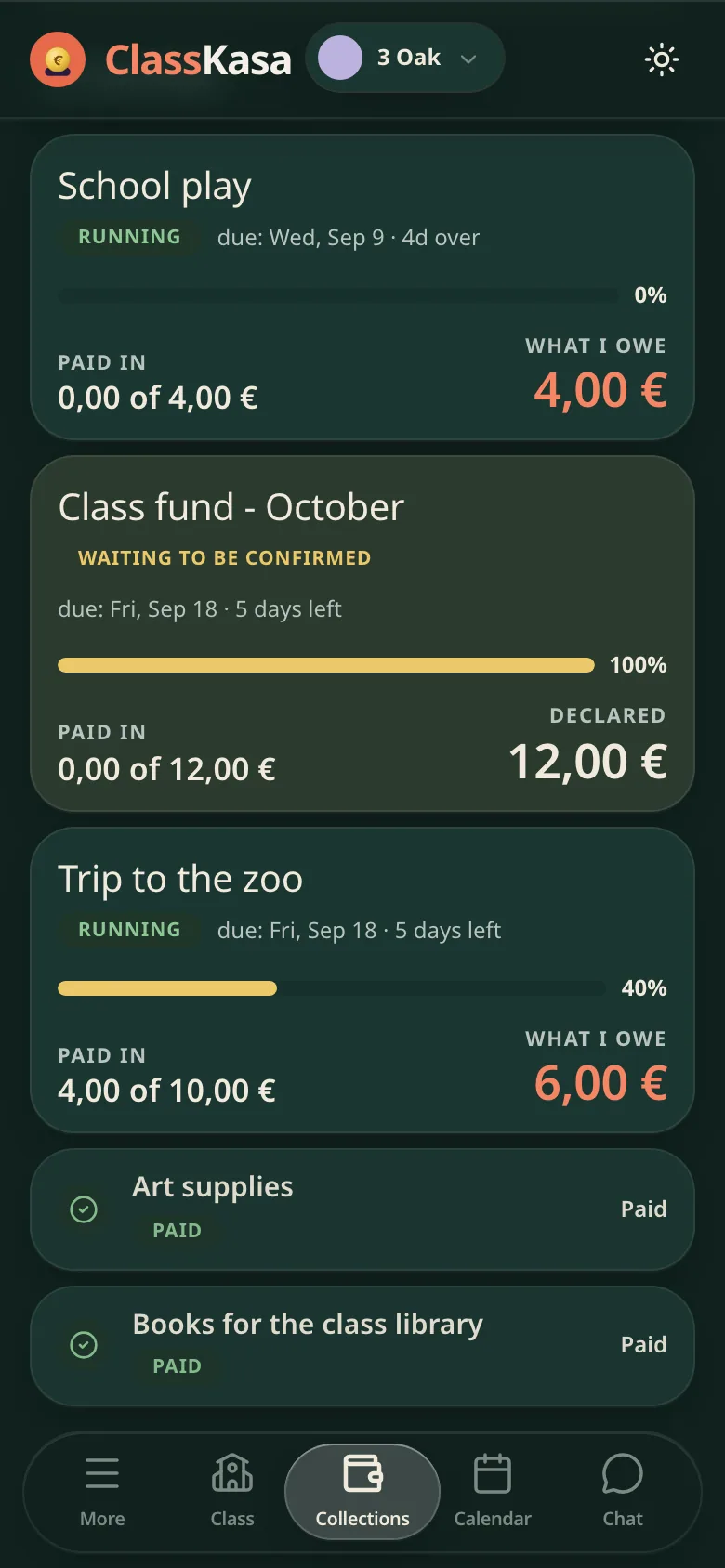
A parent's class money in ClassKasa: what is due, what is waiting to be confirmed, what is paidA parent's class money in ClassKasa: what is due, what is waiting to be confirmed, what is paid
The parent's list of collections: at the top one past its due date with a red what-I-owe amount, then the one waiting to be confirmed with a declared amount, then another with a red what-I-owe amount, and at the bottom two paid ones with a green tick. The bottom tabs sit underneath.
Start a class for free
100 daysNo card needed
For the treasurer

"Show the full breakdown." Here you go.

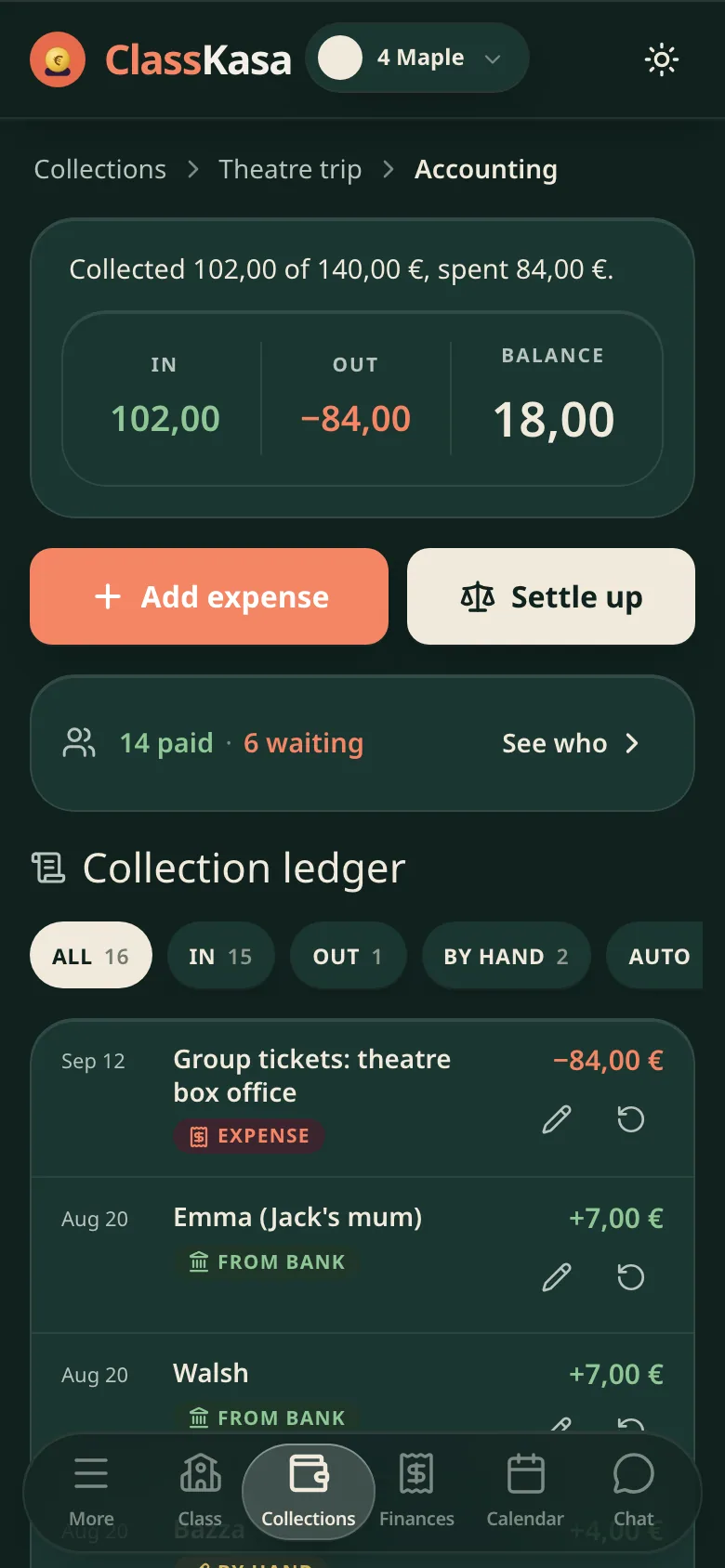
The collection's breakdown builds itself: what came in, what went out, the balance and who paid for what.

Collected, spent, balance and every line with a name. Ready before anyone thinks to ask.
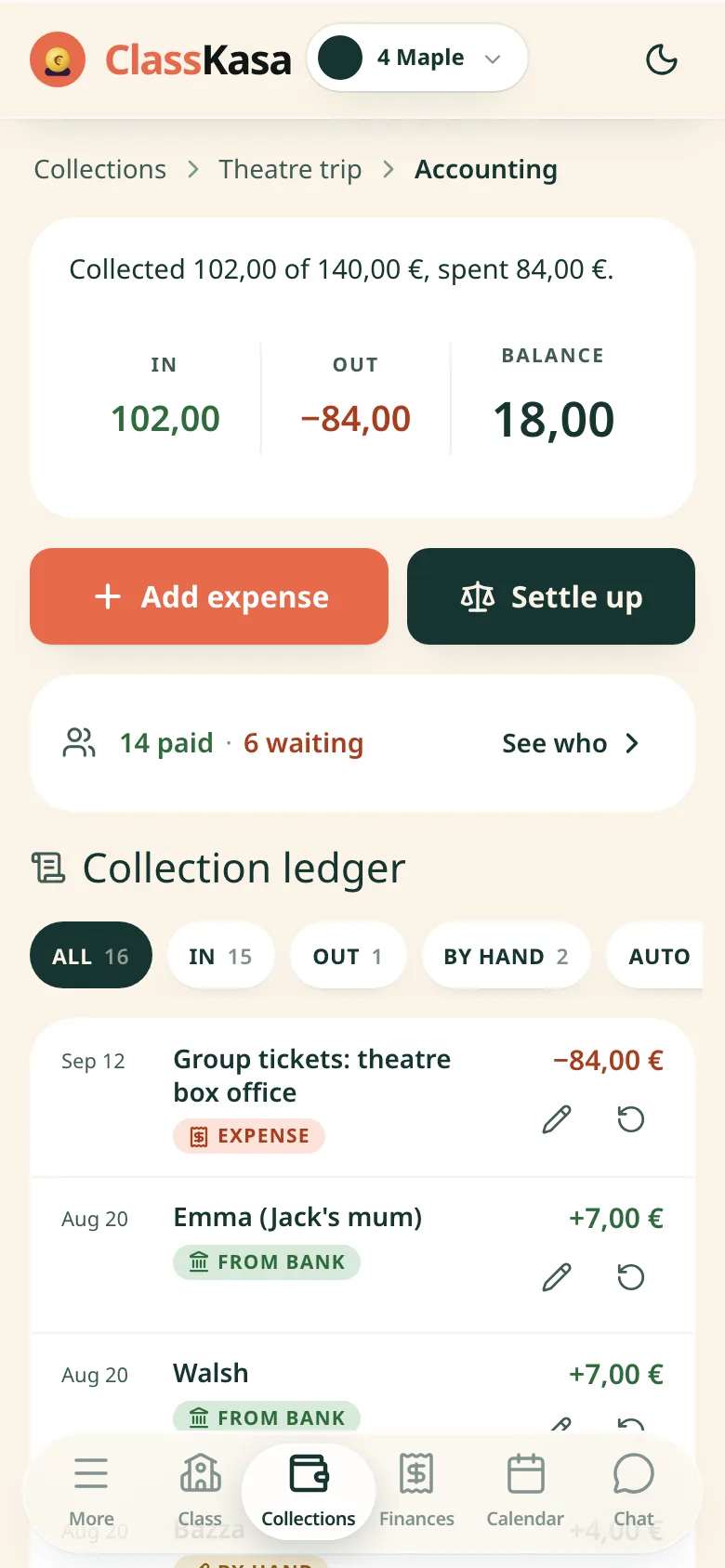
A class collection settlement in ClassKasa: collected, spent, balance and a line-by-line ledgerA class collection settlement in ClassKasa: collected, spent, balance and a line-by-line ledger
Collection bookkeeping: collected of target, spent, and the balance line by lineCollection bookkeeping: collected of target, spent, and the balance line by line
For a parent and a treasurer

Overpaid? You do not refund it by hand.

An overpayment stays in the family wallet, and the parent moves it onto the next collections.

The extra stays in the family wallet. The parent spreads it onto the next collections with a slider: what stays, what moves on, what waits.
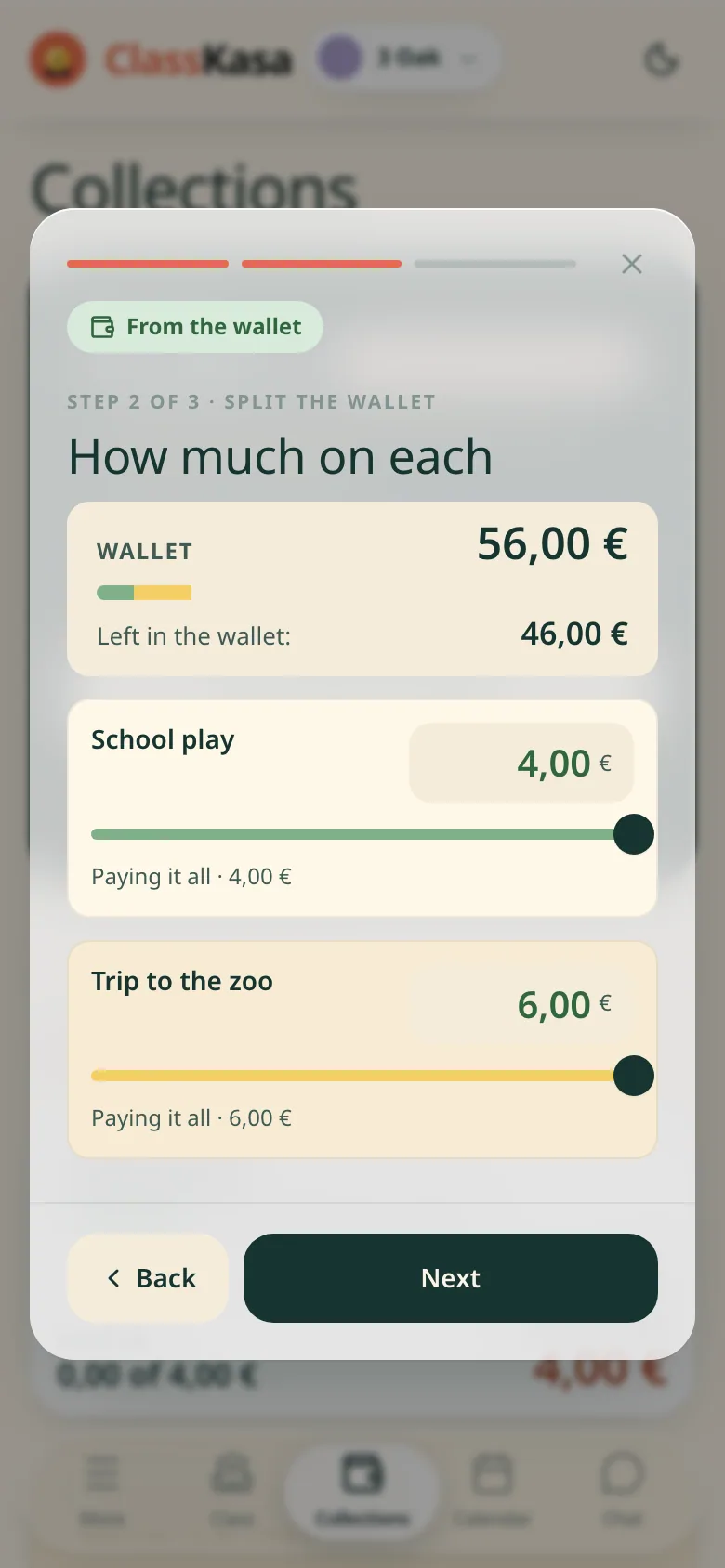
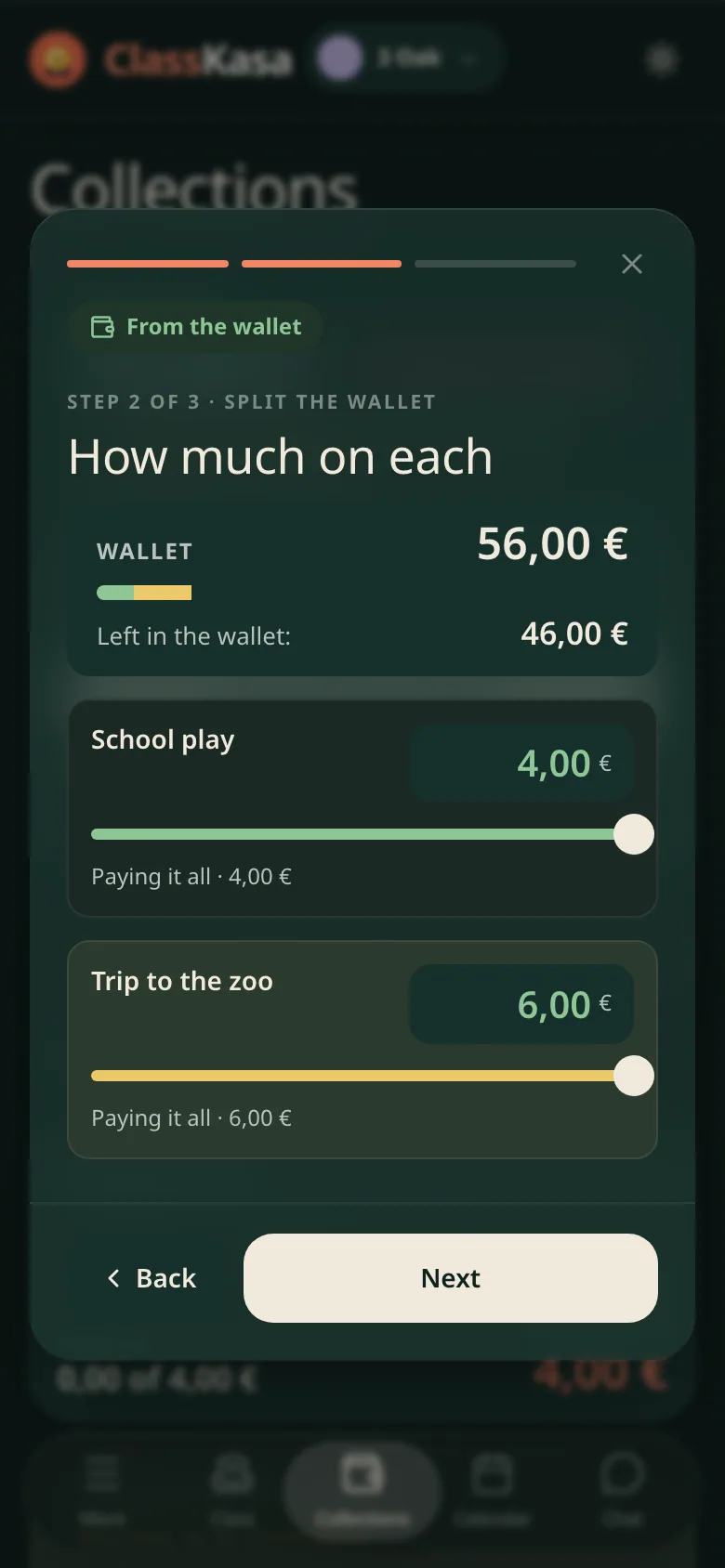
An overpayment in the family wallet in ClassKasa: how much stays, how much goes to the next collectionsAn overpayment in the family wallet in ClassKasa: how much stays, how much goes to the next collections
Paying from the wallet, step 2 of 3, how much on each: the wallet total with the split bar, the line for what is left in the wallet, and under it two collections, each with a slider and a note that you are paying it all. The back and next buttons at the bottom.Paying from the wallet, step 2 of 3, how much on each: the wallet total with the split bar, the line for what is left in the wallet, and under it two collections, each with a slider and a note that you are paying it all. The back and next buttons at the bottom.
For a parent and a treasurer

Questions at 10pm. No longer yours.

In Premium the class chat answers parents about dates, amounts and payments, using only your class's data.

The chat knows only your class and answers with the specifics: the time, the amount, whether it has arrived.

How the class chat works

What time is the zoo trip collection tomorrow?
Tomorrow (Thu, 17 Sep) at 7:40 outside school, back around 16:00. Snack and a raincoat. The 45 payment was booked to you on 12 Sep.
Copy Share
And did I already pay for the puppet show?

Who is ClassKasa for?

Three people, three views of the same class money.

  • 1
    Class treasurer
    Opens collections, shares one link and sees who has paid and who hasn't. Ticks payments off by hand on Free; with Premium, bank transfers book themselves.
  • 2
    Parent
    Sees what the family owes, by when, and what is already paid. No password and nothing to install: the treasurer's invite link and an e-mail are enough.

    More for parents

For schools

Whole school on ClassKasa?

The school pays one invoice for the whole year and sees all its classes on one screen.

One plan for the school - 249,00 € a year - and every class gets Premium. Treasurers pay nothing.

See the school plan

Made for the phone in your hand

We design every screen for a phone first and stretch it for a laptop later. Before a code change ships, automated checks open the main pages on a phone-sized screen.

1
Phone first, laptop second
The build fails if a main page scrolls sideways on a 360 px screen, or if a main page falls below its minimum accessibility, best-practice or SEO score in a phone-sized audit.
2
Android: put it on your home screen
Open ClassKasa in Chrome, tap the three-dot menu, then Install app (or Add to Home screen).

ClassKasa, a spreadsheet or a WhatsApp group?

The short version. Rows marked Premium need Premium.

What you needSpreadsheetWhatsApp groupClassKasa
Who has paid
The list of families and what each one has paid
you type itscroll backone list

“I used to spend four hours a week on class money. Now it's a link and a cup of coffee.”

AKAnia, class 3B treasurer
For a parent and a treasurer

Premium is per class, not per parent: 54 € / 25 families = about 2,16 € per family for the whole year. See pricing
Start a class for free
100 daysNo card needed

See the demo·Got questions? FAQ

Made with care for class treasurers everywhere · made in EU

Discover ClassKasa

  • For parents
  • Bank auto-booking
  • Class chat
  • For schools
  • Security
  • Pricing
  • FAQ
  • Contact
  • Privacy Policy
  • Terms of Service
  • Impressum
  • Cookies

Part of the veinito group: ClassKasa · CzynszOK · Kasandro · Tomasz Żyłka

© ClassKasa 2026 · All rights reserved.

ClassKasa v4.75.2

Enable Banking

How bank auto-booking works

Bank transfers in ClassKasa: row after row, the family name, the booked itself label and the amountBank transfers in ClassKasa: row after row, the family name, the booked itself label and the amount
A list of bank transfers: every row carries the family name, the green booked itself label, where the payment went and the amountA list of bank transfers: every row carries the family name, the green booked itself label, where the payment went and the amount
The parent's list of collections: at the top one past its due date with a red what-I-owe amount, then the one waiting to be confirmed with a declared amount, then another with a red what-I-owe amount, and at the bottom two paid ones with a green tick. The bottom tabs sit underneath.

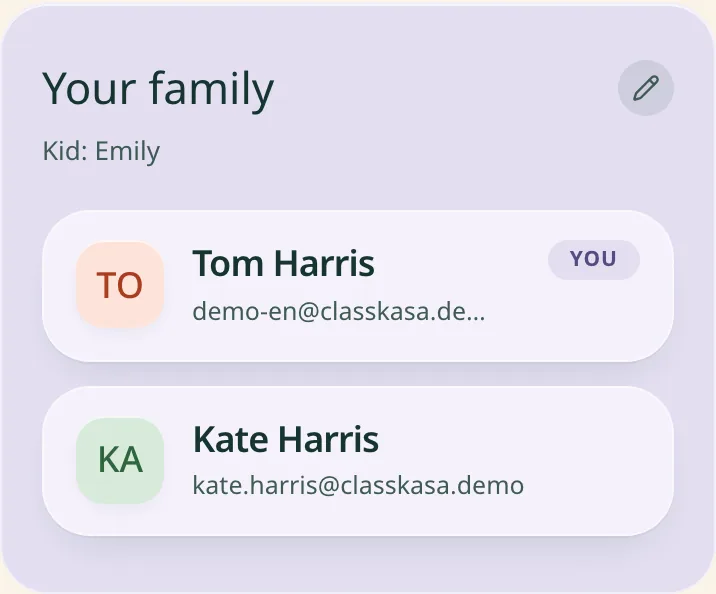
Both grown-ups on one card:

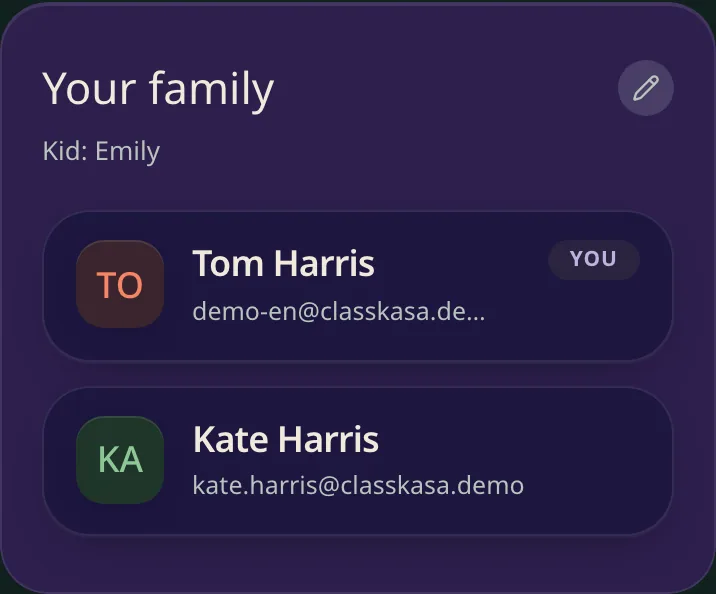
The "Your family" card in the parent view, listing both grown-ups on the family and the childThe "Your family" card in the parent view, listing both grown-ups on the family and the child
Yes, 20 came in on 9 Sep. You owe nothing.
Copy Share
3
Teacher
With Premium, sees the class collections and events and changes the description, deadline and meeting point, never the amount. The teacher never sees who paid what, and pays nothing.
PREMIUM
3
iPhone: put it on your home screen
Open ClassKasa in Safari, tap the Share button, then Add to Home Screen.
4
No app store needed
Once it sits on your home screen it opens full screen, without the browser bar, like any other app. No store account and no store download.

Read the step-by-step guide

Each parent's status
A parent checks what they owe without asking you
only you see it
ask the treasurer
on their phone
Bank transfers
Matching each transfer to a family and a collection
by handby handbook themselvesPREMIUM
Reminders
2 days before the deadline, on the day and 2 days after, only to families who still owe
you write themeveryone gets themautomaticPREMIUM
Privacy
Who can see which family has paid
whoever has the filethe whole grouptreasurer and family

What you ask us most

Short and to the point. The rest is in the FAQ.

  1. Free costs nothing and has no time limit. Premium is 6 € a month or 54 € a year, for the whole class, not per parent. Split across the families: 54 € / 25 families = about 2,16 € per family for the whole year.

  2. No. In Premium you link the class account to the bank read-only (PSD2), through Enable Banking, a licensed provider. ClassKasa sees the transfers but never holds or moves the class money. More on security

  3. With Premium you link the class account through Enable Banking, which covers over 2,500 banks in the EU. You pick your bank from the list when you connect.

  4. No. A parent taps the treasurer's invite link, types their e-mail and confirms it with one tap in our e-mail - no password, nothing to install. If they like, they can add ClassKasa to the home screen like an app.

  5. The treasurer records cash by hand next to the family, and it counts toward the collection straight away.

  6. When the treasurer settles the collection, the extra goes to the family wallet. From there the parent moves it onto the next collections.

  7. In a spreadsheet you type everything in yourself, and on WhatsApp you answer everyone one by one. Here every parent checks what they owe and what has already arrived. With Premium, bank transfers book themselves.

  8. Yes. The school plan costs 249,00 € plus VAT for 12 months, and every class in the school has Premium, including classes that join later. Treasurers and parents pay nothing. The school sees its classes and their treasurers, but no accounts or amounts. More about the school plan

  9. Create your class and send the parents the link. Every new class can try Premium free for 100 days, no card needed.

All questionsBest apps for class treasurers